This package utilizes various viz packages (currently dittoViz, plotthis, and ComplexHeatmap along with native plotting functions) to create interactivity-first Shiny modules for common plot types, designed to serve as building blocks for Shiny apps and as the basis for more complex/specialized modules.
These modules contain all possible functionality for each plot with some additional parameters that make use of the interactive features of plotly, e.g. interactive text annotations, arbitrary shape annotations, multiple download formats, etc.
The modules provide comprehensive plot control for app users, allowing for convenient aesthetic customizations and publication-quality images. They also provide developers a way to dramatically save time and reduce complexity of their plotting code or a flexible base to build more specialized Shiny modules upon.
This package is still in an experimental state undergoing active development. While each release should be stable and useable, breaking changes may occur frequently between versions until a major 1.0.0 release is made.
Install
# CRAN
install.packages("VizModules")

# Development version
remotes::install_github("j-andrews7/VizModules")
Quick Start
- Explore the hosted example gallery. Each module opens on an example with its main features switched on (statistical comparisons, highlighted points, fit lines, annotations, and so on), and the Figure Builder tab shows how the modules combine into a free-form, multi-panel figure.
- Run the same gallery locally after installation:
VizModules::moduleGalleryApp() - Run the Figure Builder on its own:
VizModules::figureBuilderApp() - See the vignette for a full walkthrough of using the modules in your own apps:
vignette("quick-start", package = "VizModules")
Using Modules in Your Own App
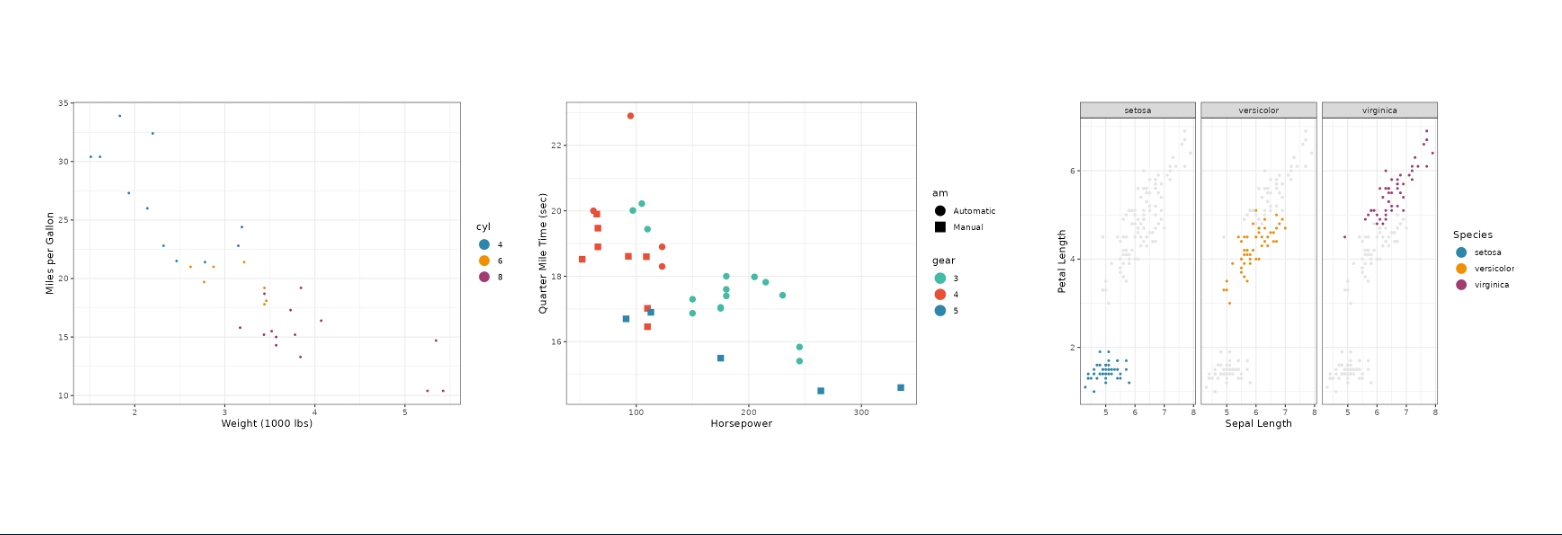
To use a module in your own app, simply call the *InputsUI(), *OutputUI(), and *Server() functions for the module you want to use. For example, to use the ScatterPlot module from dittoViz, you would do something like this:
library(VizModules)

ui <- fluidPage(
    sidebarLayout(
        sidebarPanel(
            dittoViz_scatterPlotInputsUI(
                "cars",
                mtcars,
                defaults = list(
                    x.by = "wt",
                    y.by = "mpg",
                    color.by = "cyl"
                )
            )
        ),
        mainPanel(dittoViz_scatterPlotOutputUI("cars"))
    )
)

server <- function(input, output, session) {
    dittoViz_scatterPlotServer(
        "cars",
        data = reactive(mtcars)
    )
}

shinyApp(ui, server)
Every module uses the same trio of functions: *InputsUI() for controls, *OutputUI() for the plot, and *Server() for the logic. The separation of InputsUI and OutputUI allows you to place input controls and the actual plot wherever you’d like.
Use defaults to pre-fill inputs, and hide.inputs/hide.tabs to hide controls while keeping their values so you can enforce app-level defaults without exposing them. A defaults entry can also be a reactive(), so an input follows your app’s state without an extra re-render.
Modules built on plotting functions from other packages expose most of the underlying arguments. The module input help pages (e.g., ?dittoViz_scatterPlotInputsUI, ?plotthis_AreaPlotInputsUI) list what is wired through and any omissions; cross-reference the underlying plot docs (?dittoViz::scatterPlot, ?plotthis::AreaPlot, etc.) to see the full parameter set.
Example Apps for Each Module
Every module has a corresponding *App() function that creates a complete Shiny app showcasing the module’s functionality with example data. For instance, plotthis_BarPlotApp() creates an app BarPlot module. You can run these apps directly to explore the module’s features and see how it works in a full Shiny context.
library(VizModules)
# Using built-in example data (or upload your own file in the app)
plotthis_BarPlotApp()

# Providing your own data
df <- data.frame(
    category = c("A", "B", "C"),
    value = c(10, 20, 15),
    group = c("X", "Y", "X")
)

plotthis_BarPlotApp(data = df)
App Factory
Every built-in *App() convenience function (e.g. plotthis_BarPlotApp(), linePlotApp()) is a thin wrapper around createModuleApp() with sensible default data. You can also pass your own custom wrapper module functions to createModuleApp() for rapid prototyping after defining the UI and server functions. All *App() wrappers and createModuleApp() accept defaults, hide.inputs, and hide.tabs so you can pre-fill or hide controls when testing a module in isolation; see vignette("defaults-and-hiding", package = "VizModules").
library(VizModules)

app <- createModuleApp(
    inputs_ui_fn = plotthis_BarPlotInputsUI,
    output_ui_fn = plotthis_BarPlotOutputUI,
    server_fn    = plotthis_BarPlotServer,
    data_list    = list("cars" = mtcars),
    title        = "My Bar Plot"
)

runApp(app)
Figure Builder
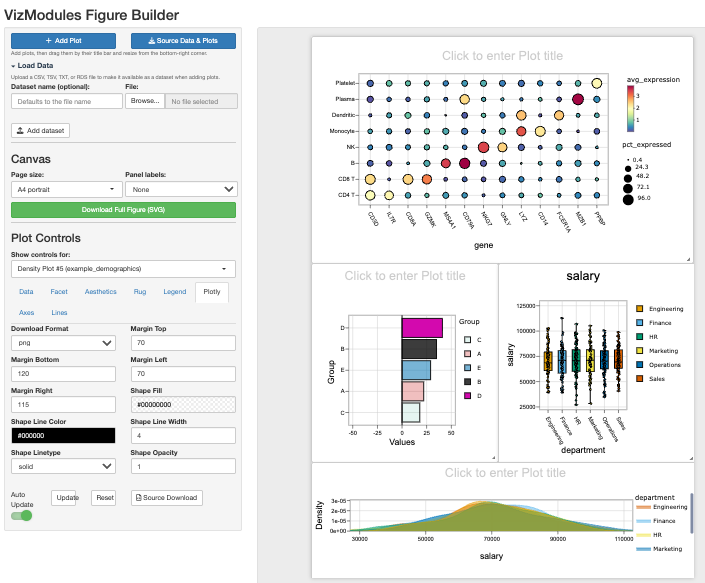
The Figure Builder is a fully reusable, namespaced Shiny module (figureBuilderUI() / figureBuilderServer()) that turns the plot modules into a free-form figure builder. It can be launched as a standalone app, embedded inside a larger app, or even instantiated more than once on a single page. It is also the Figure Builder tab of the gallery (moduleGalleryApp(), or the hosted gallery). Launch the standalone app with figureBuilderApp():
library(VizModules)

# Launch with the bundled example datasets and all modules
figureBuilderApp()

# Or seed it with your own datasets
figureBuilderApp(data_list = list("iris" = iris, "mtcars" = mtcars))
figureBuilderApp() accepts data_list to seed datasets, module_registry to add custom modules, and return_components = TRUE to get separate ui/server objects instead of a shinyApp(). See ?figureBuilderApp for details.
The Figure Builder is also a self-contained Shiny module, so you can embed it in a larger app (and even use more than one instance on a page) with figureBuilderUI() / figureBuilderServer(), just like the plot modules:
library(VizModules)

ui <- fluidPage(
    figureBuilderUI("figure_builder")
)

server <- function(input, output, session) {
    figureBuilderServer("figure_builder")
}

shinyApp(ui, server)
It allows you to interactively compose complicated figures using the modules in a single page:
- Add plots on demand. Click Add Plot to drop any VizModule onto the canvas, choosing both the plot type and the dataset it should use.
-
Load your own data. Use the Load Data section to upload a
CSV,TSVor tab-delimitedTXTfile. Uploaded datasets are added to the dataset list so you can build plots from your own data alongside the bundled examples. Each plot can use a different dataset if desired. -
Drag and resize. Each plot lives on its own card. Hover a card to reveal a small toolbar with a drag handle (to reposition it) and a remove button, and resize it from its corner (via
shinyjqui) — resizing adjusts the plot in both directions. The toolbar stays out of the way otherwise, so cards remain clean and chrome-free in the SVG export. - A4 canvas. The canvas is sized to an A4 page (switchable between portrait and landscape), making it easy to lay plots out for a composite figure.
- Swappable controls. A single dropdown swaps the visible plot’s input controls in and out, so only one control set is shown at a time while every plot keeps its own settings.
- Swappable filtering table. A matching dropdown swaps the visible plot’s filterable data table, mirroring the controls behaviour. Filtering a plot’s table subsets only that plot’s data.
- Download as SVG. Click Download Full Figure (SVG) to export the whole canvas as a single vector SVG, with every plot positioned as it appears on the page. This allows downstream editing as necessary, though the hope is that you’ll be 95% of the way there with the formatting and syling options available in each module.
-
Automatic panel labels. Use the Panel labels dropdown to add panel letters (
A,B,C, … or lowercasea,b,c, …) to the top-left of each panel. Labels now render live on the canvas as soon as they are chosen (and renumber as panels are added, removed, or dragged), in addition to appearing in the SVG export. Labels are ordered the way a reader scans a figure — top-to-bottom by row, then left-to-right within a row. Choose None to leave the figure unlabelled. -
Download source data. Click Download Summary to download a single
.zipcontaining all plot data (plot + data + the inputs used to build it + statistical testing information (if applied)) for every plot on the canvas, with one set of files per panel.
Building Custom Wrapper Modules
The modules in VizModules are designed to be composed and extended. You can build higher-level modules that add custom logic while reusing the full functionality of the base modules. Many internal helpers for axes, faceting, and layouts are now exported to support this, along with the defaults/hide.inputs/hide.tabs controls covered in vignette("defaults-and-hiding", package = "VizModules").
For more details, see vignette("custom-modules", package = "VizModules").
Custom Shiny Inputs
Beyond the standard shiny::*Input widgets, VizModules ships two reusable custom Shiny inputs that are used throughout the package and are available for your own apps: multiColorPicker() and multiDynamicInput(). See vignette("custom-shiny-inputs", package = "VizModules") for full details.
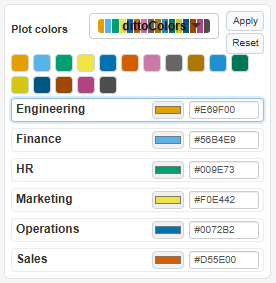
multiColorPicker() assigns a color to each level of a discrete variable, either by applying a named palette to every group at once or by fine-tuning individual groups with a color picker and an editable hex field. It returns a named character vector of hex colors keyed by group and can be updated from the server with updateMultiColorPicker().
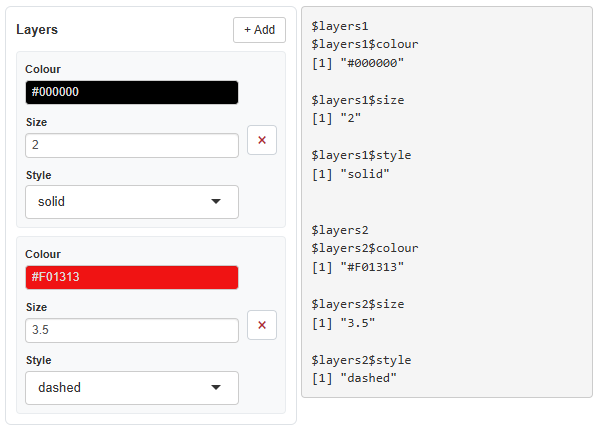
multiDynamicInput() is a general-purpose widget that lets users dynamically add and remove rows of heterogeneous inputs (e.g. a color, a numeric, and a select per row). It returns a named list of rows and can be updated from the server with updateMultiDynamicInput().
Modules Provided
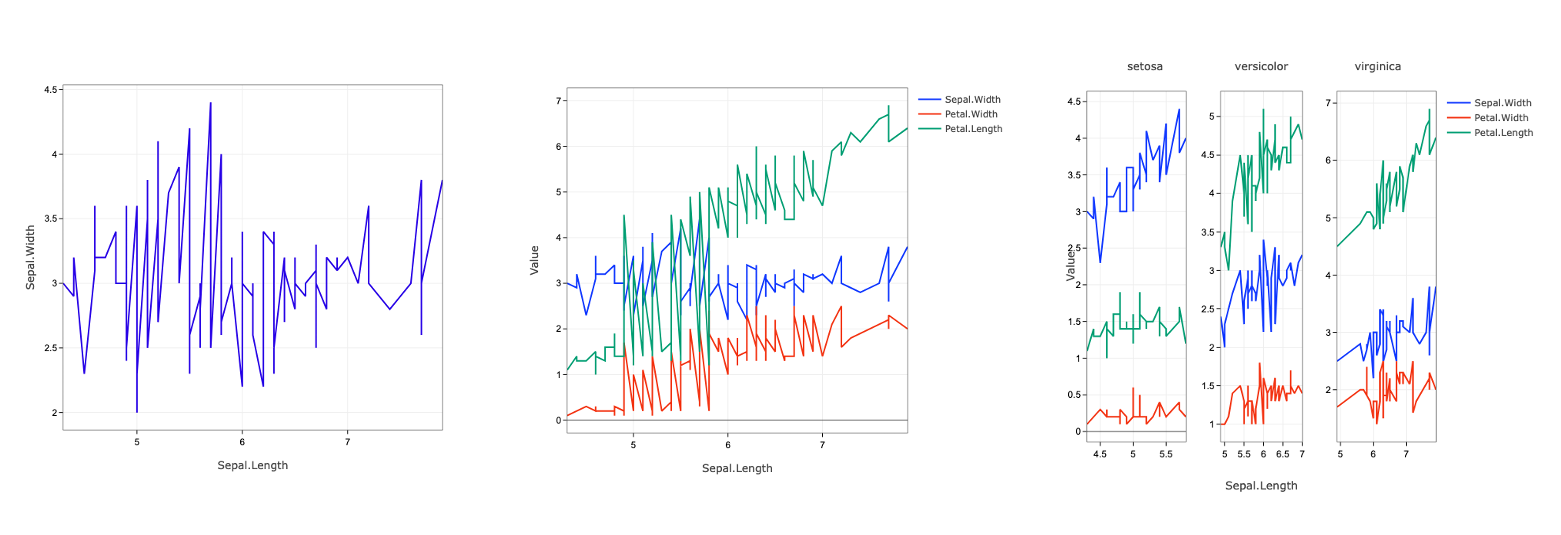
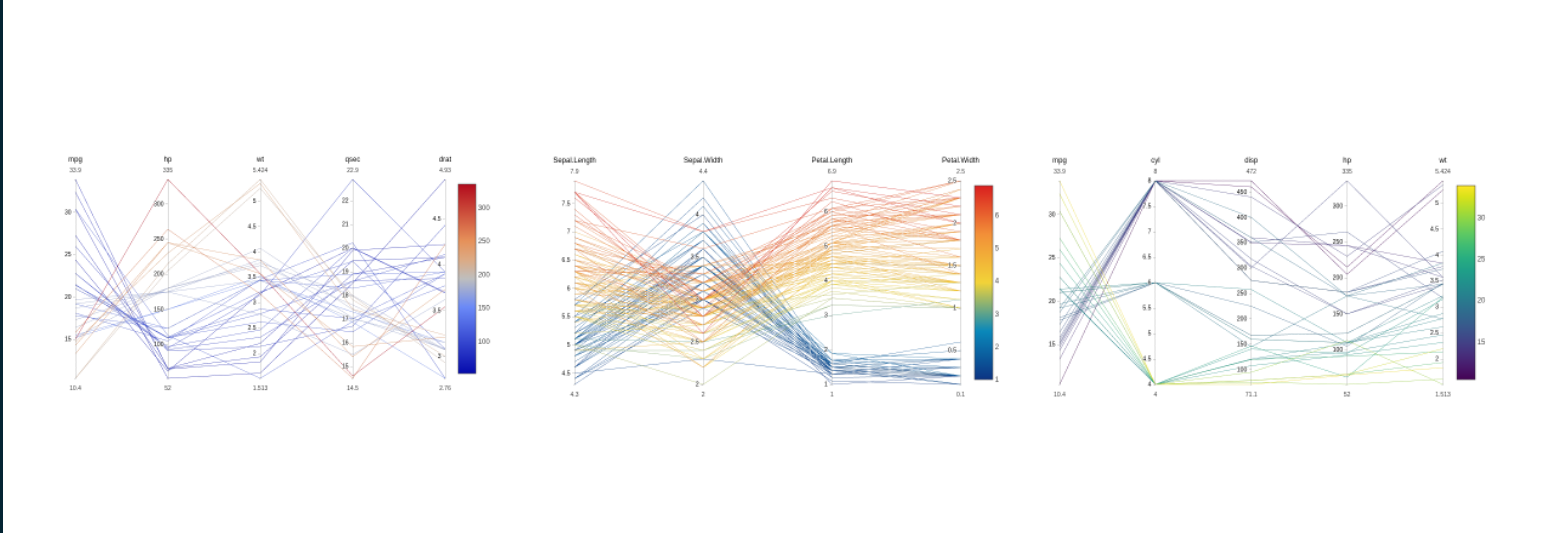
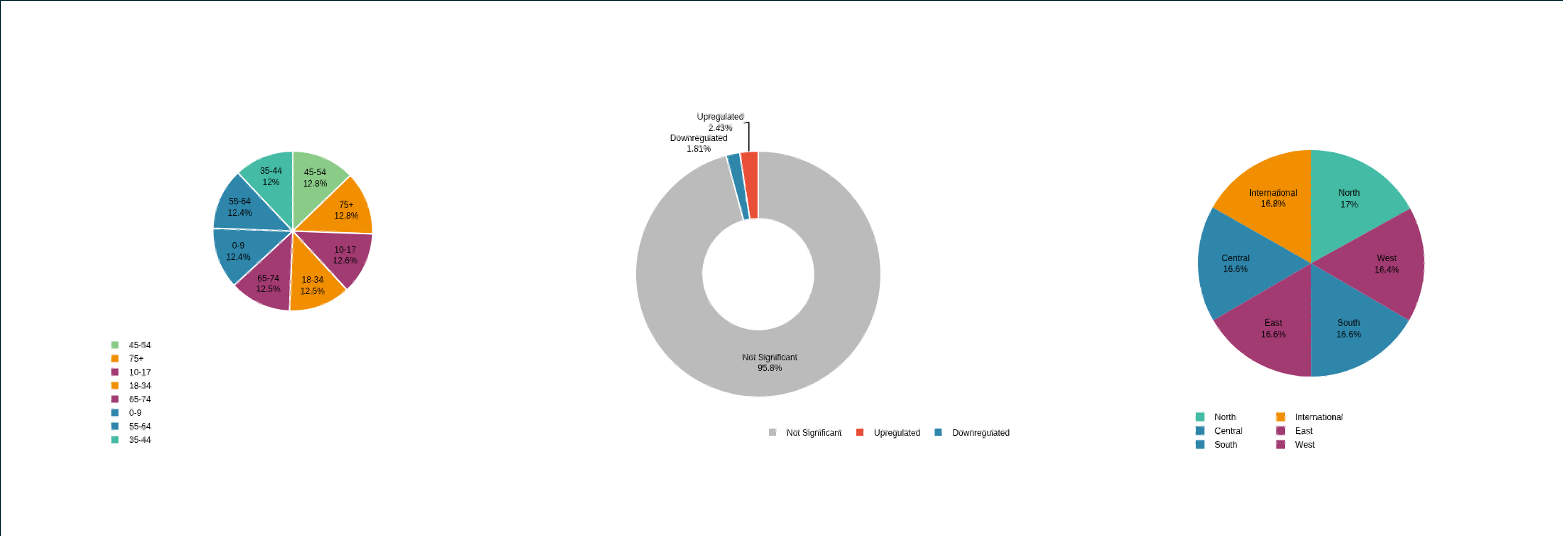
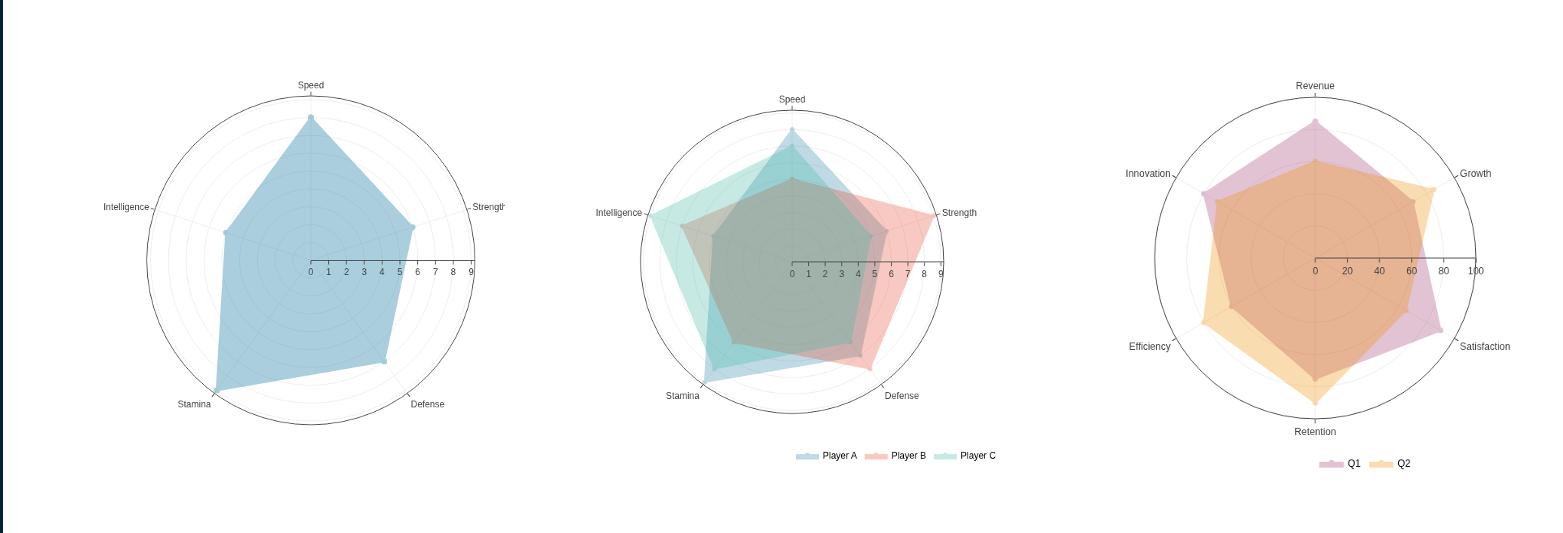
Currently, VizModules contains a functional Shiny module for the following visualization functions:
dittoViz
-
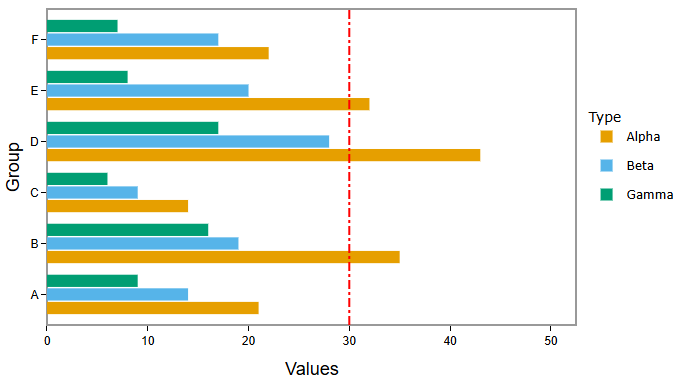
dittoViz_scatterPlot- x/y coordinate plots with additional color and shape encodings (wrapsdittoViz::scatterPlot). Supports overlaying fit lines, including multiple custom model lines defined interactively: add a row per model, each with its own R model formula (e.g.revenue ~ poly(units, 2)), fitting function (lm,glm,loess, or a registered backend), line colour, and width, seevignette("custom-model-lines", package = "VizModules"). -
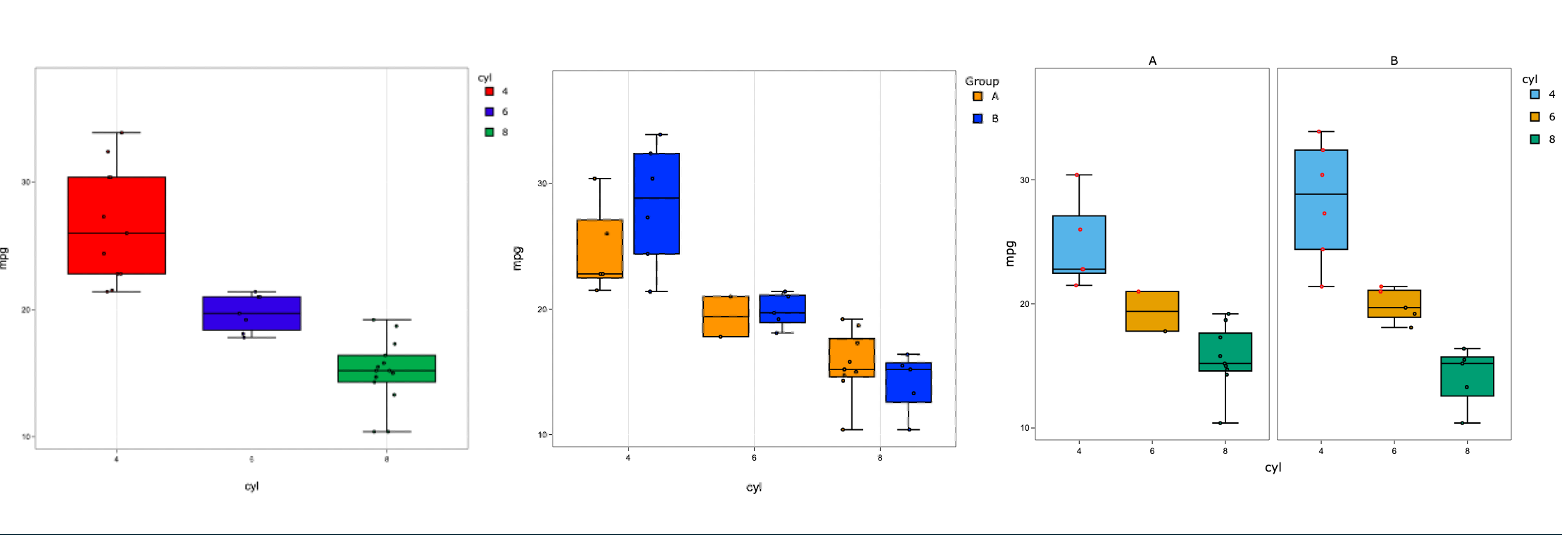
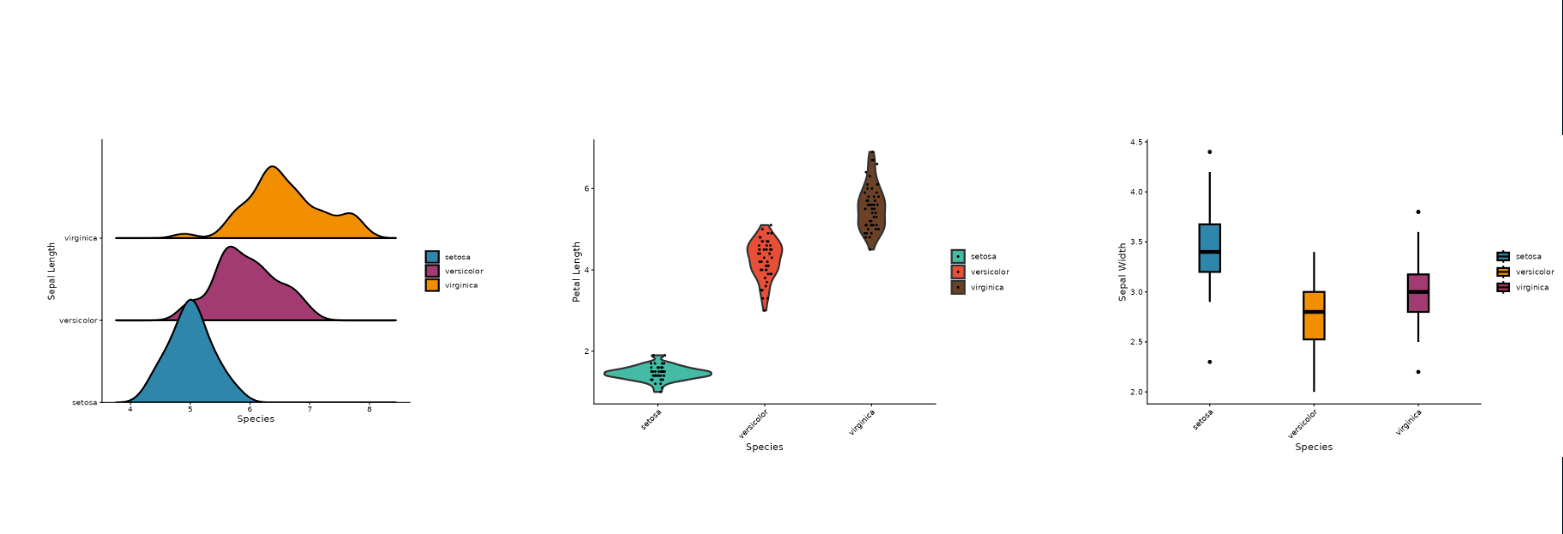
dittoViz_yPlot- Multi-variate Y-axis plots (boxplot, jitter, violinplots - wrapsdittoViz::yPlot). -
dittoViz_freqPlot- Box/jitter plots for discrete observation frequencies per sample/group (wrapsdittoViz::freqPlot).
plotthis
-
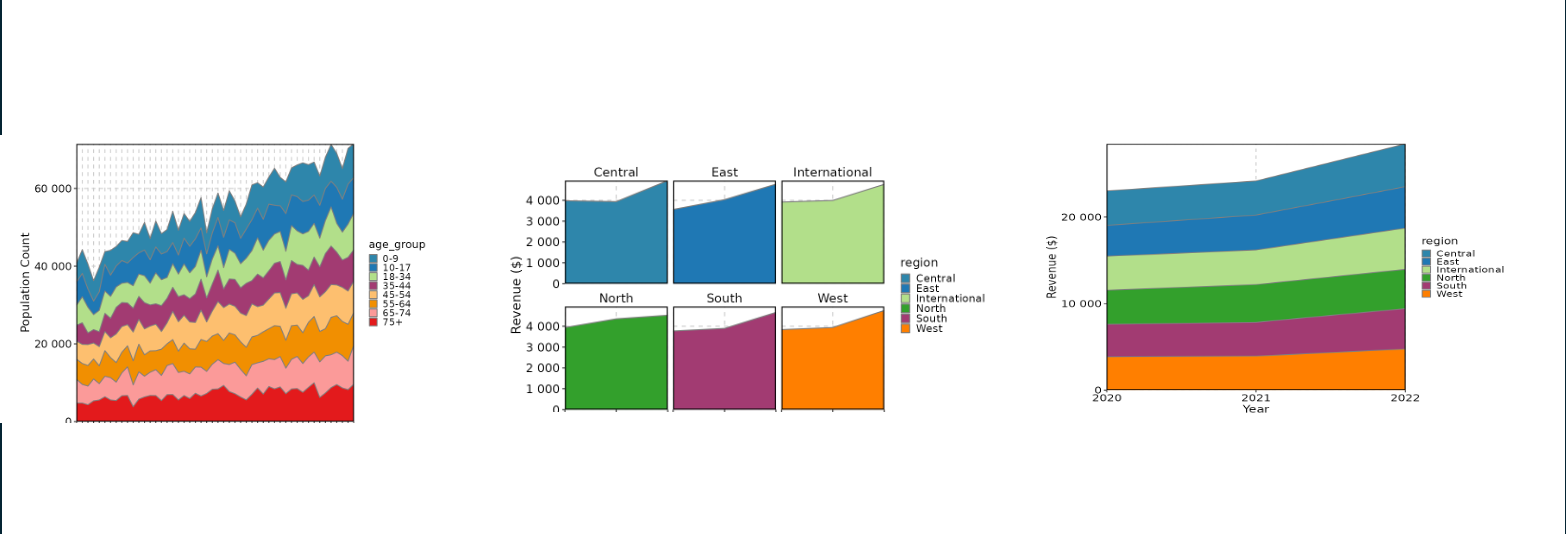
plotthis_AreaPlot- Stacked area charts (wrapsplotthis::AreaPlot). -
plotthis_BoxPlot- Box plots (wrapsplotthis::BoxPlot). -
plotthis_BarPlot- Bar charts (wrapsplotthis::BarPlot). -
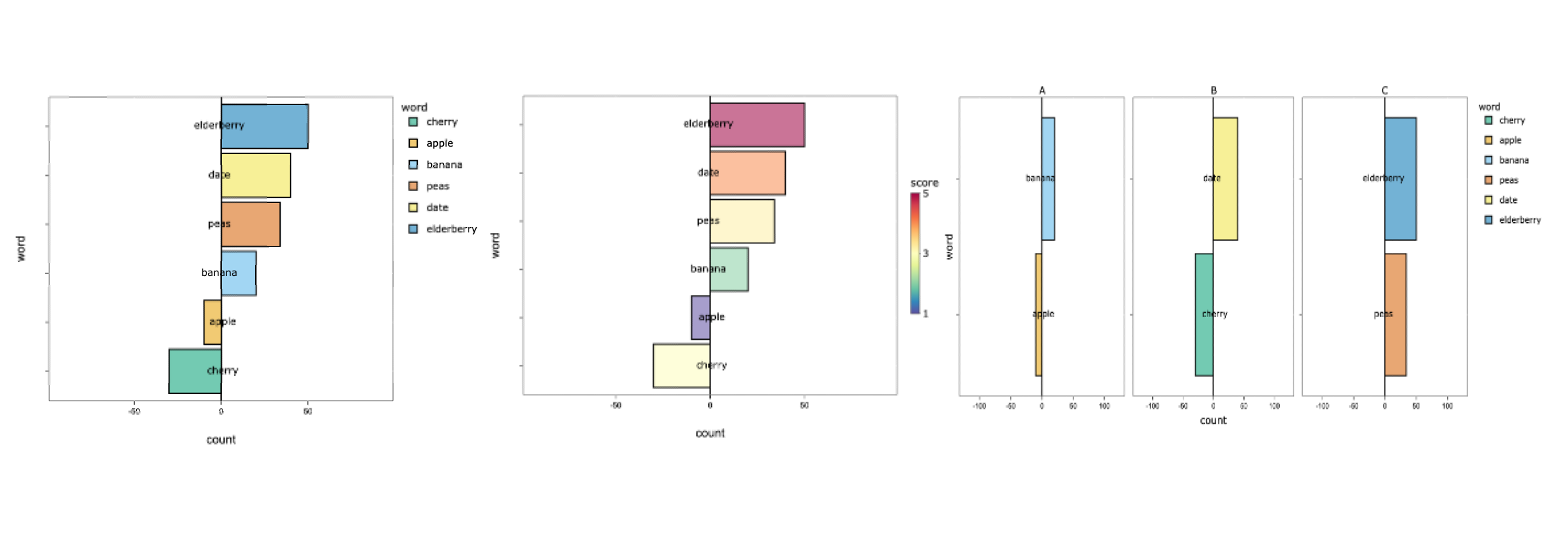
plotthis_SplitBarPlot- Split bar charts (wrapsplotthis::SplitBarPlot). -
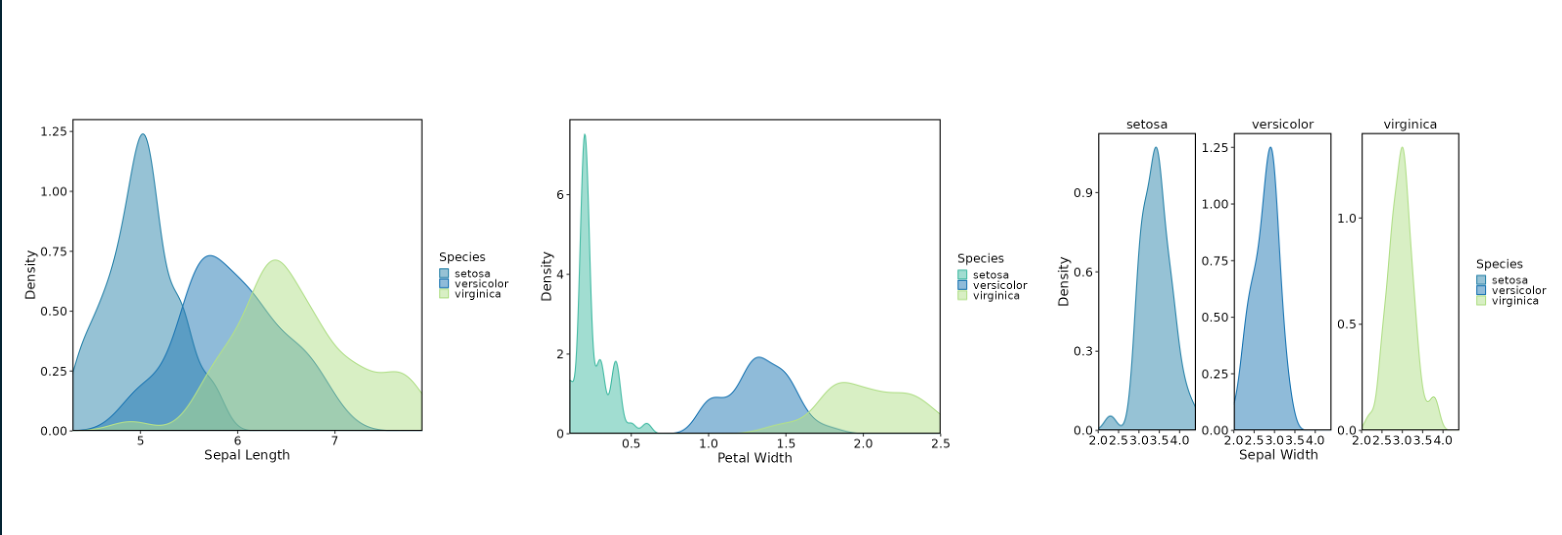
plotthis_DensityPlot- Density plots (wrapsplotthis::DensityPlot). -
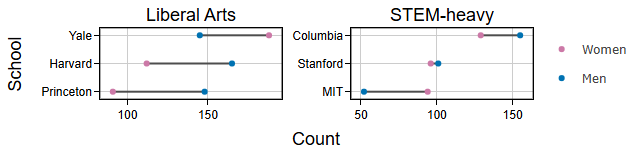
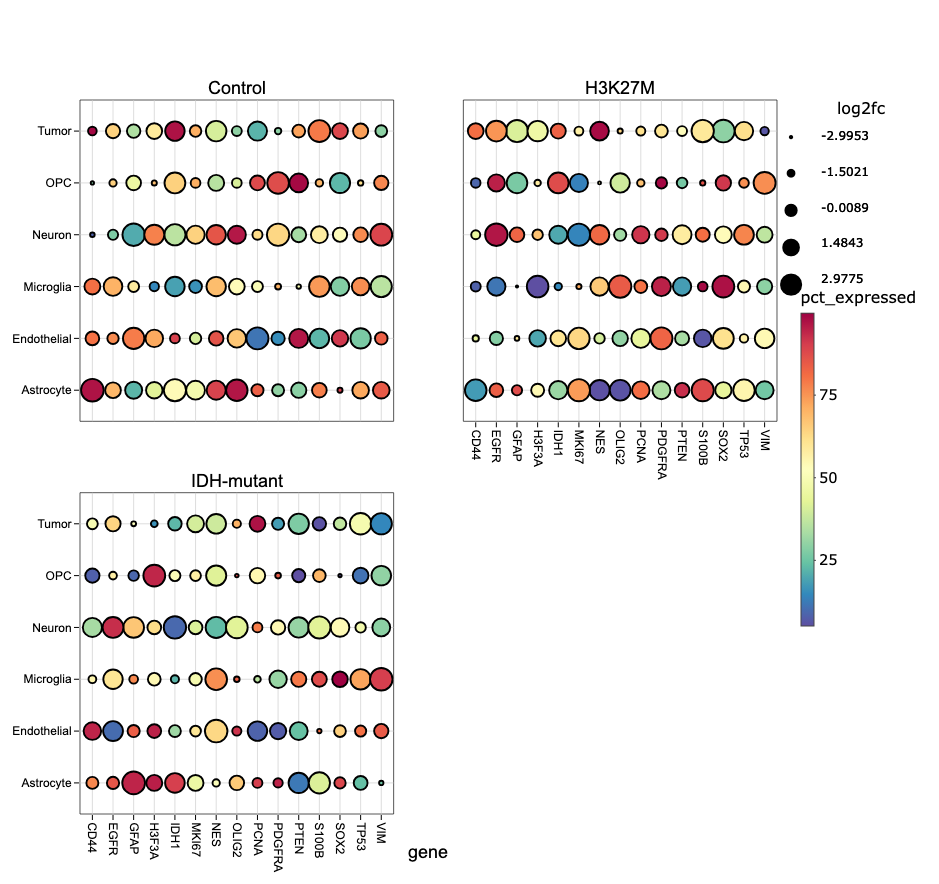
plotthis_DotPlot- Dot plots (wrapsplotthis::DotPlot). -
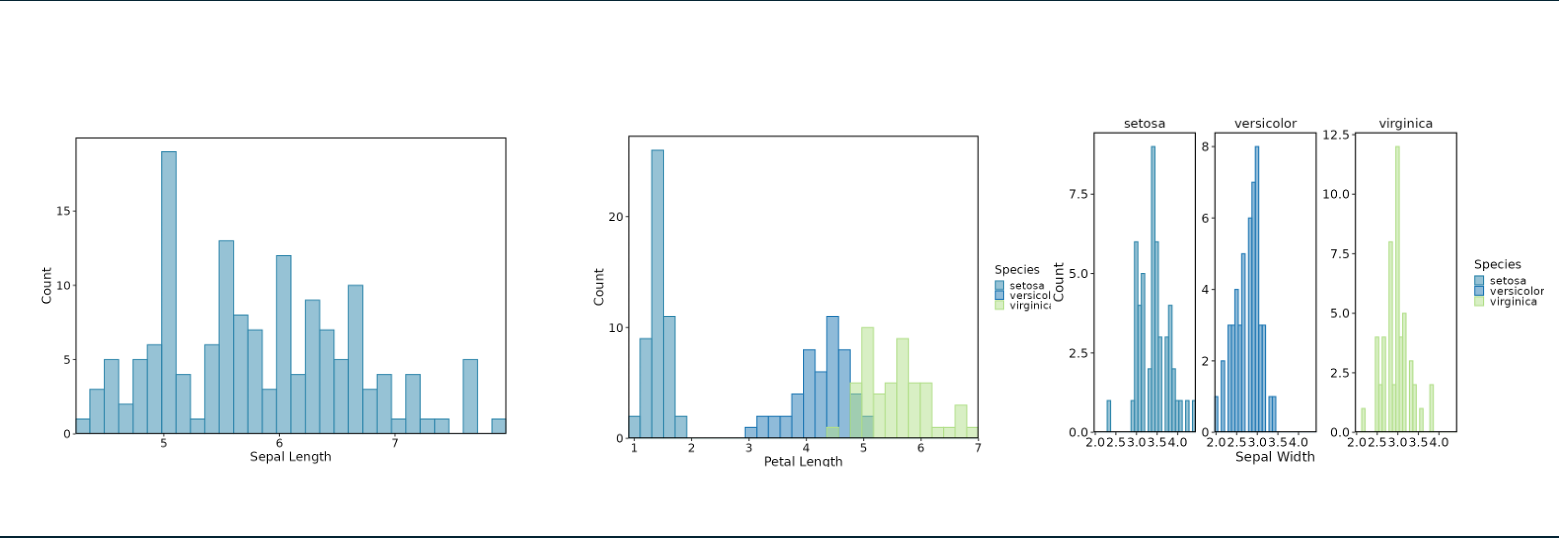
plotthis_Histogram- Histograms (wrapsplotthis::Histogram).
ComplexHeatmap
-
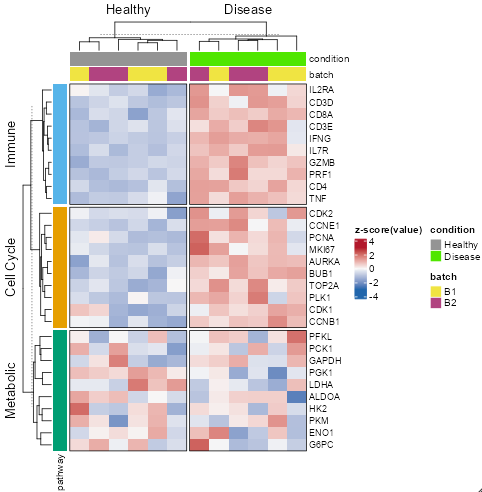
ComplexHeatmap_Heatmap- Interactive heatmaps with row/column annotation tracks, clustering, and sub-heatmap zoom (wrapsComplexHeatmap::Heatmap). This is the one module whose output is not plotly - it renders through InteractiveComplexHeatmap, so the plotly-specific controls (the Plotly tab, download formats, draggable annotations) do not apply. It is also the one module whosedatamay be a list rather than a data frame: passdata = list(matrix = <data.frame>, column_annotations = <data.frame>)when you want column annotation tracks, where the companion table carries one row per sample column.ComplexHeatmap,InteractiveComplexHeatmap, andcirclizeareSuggestsrather than hard dependencies, so install them withBiocManager::install(c("ComplexHeatmap", "InteractiveComplexHeatmap", "circlize"))before using this module.- The interactive output can also be split across
ComplexHeatmap_HeatmapMainOutputUI(),ComplexHeatmap_HeatmapSubOutputUI(), andComplexHeatmap_HeatmapInfoOutputUI()if you want the main heatmap, the sub-heatmap, and the click/brush info panel in separate places in your layout.
- The interactive output can also be split across
Statistical Testing
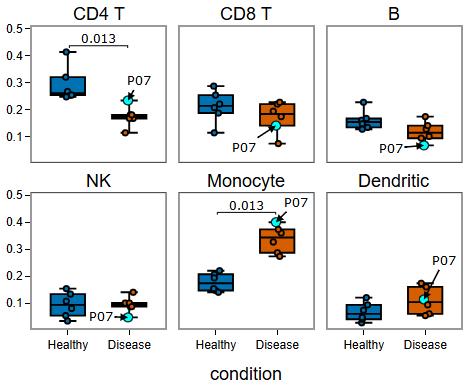
The BoxPlot, yPlot, and freqPlot modules include a Stats tab that adds pairwise statistical testing with bracket annotations directly on the plotly figure. On freqPlot the tests are always run within each facet (the stat.per.facet control is hidden), since each facet is a different level of the frequency variable and pooling across them would compare non-comparable quantities. The underlying helpers (compute_pairwise_stats(), create_stat_annotations(), apply_stat_annotations(), generate_pair_strings(), parse_pair_strings()) are exported so you can add the same bracket annotations to any custom plotly figure. See vignette("statistical-testing", package = "VizModules").
Export Summary Data
collect_source_data() collects the interactive plot as HTML, its plot data, pairwise testing statistics (if applied), and UI input values into a single list, and create_source_download_handler() turns that into a compact zip folder of summary data for the output plot. The zip also carries an SVG and a PNG of each plot, captured in the browser so they match what is on screen — every reference line, statistical bracket, and dragged annotation included. create_source_download_handler() also accepts a named list of summaries (one per plot), which is how the Figure Builder bundles every plot on the canvas into one download.
Supported Tests
- Pairwise: Wilcoxon rank-sum test, t-test (paired or unpaired)
- Omnibus: Kruskal-Wallis, ANOVA
Features
- Bracket annotations with capped or flat style, placed via an interval packing algorithm to minimize vertical space
- Multiple display modes: adjusted p-values, raw p-values, or significance symbols (
*,**,***,****) - P-value correction via any
p.adjustmethod (Holm, Bonferroni, BH, etc.) - Configurable significance threshold, bracket spacing, inset, and line styling
- Per-facet testing: run tests independently within each facet panel, or across the full dataset
- Nested grouping: compare
group.bylevels within each x-axis category - Omnibus test results shown as a draggable text annotation
- Download computed statistics as a CSV with metadata header (correction method, threshold, symbol legend)
Modules Planned
dittoViz
- scatterHex - hexbin plots encoding density/frequency information along x/y coordinates.
- barPlot - compositional barplots.
dittoViz is under active development, so additional modules may be added as more visualization functions are added.
Contributing a New Module
To contribute a new module to the package, see the vignette for clear guidelines: vignette("adding-a-new-module", package = "VizModules")
AI Usage Statement
The developers made use of AI tools (e.g. GitHub Copilot, Claude Code) for code generation, documentation writing, and test creation. AI assistance was used to accelerate development after the initial module scaffolding and structure was in place, but all AI-generated content was reviewed and edited by human eyeballs/hands to ensure accuracy and quality. Our own hands are all over this project, and we are invested in it. Any inaccuracies, bugs, or issues are attributable to us, and we welcome contributions to help improve the package.
Generative AI tools (GitHub Copilot, ChatGPT, Claude, Gemini, Cursor, etc.) are explicitly welcome for building Shiny apps with these modules in addition to creating new modules. To do so, we recommend the use of the skills provided by the package detailed below.
Agent Skills (GitHub Copilot, OpenAI Codex, Claude Code, and compatible tools)
The package provides three Agent Skills that give an agent the package’s conventions without it having to read the vignettes first. Install them into a project with:
VizModules::use_vizmodules_skills(".")That writes vizmodules-app, vizmodules-custom-module, and vizmodules-new-module into .agents/skills/ by default, where GitHub Copilot and OpenAI Codex discover them automatically. Pass client = "copilot" for .github/skills/ (also read by GitHub Copilot) or client = "claude" for .claude/skills/ (Claude Code); call the function more than once with different client values to install into several locations at once. vizmodules-app in particular carries a generated inventory of every module’s column-mapping keys (x.data vs x.by vs x.value vs var), colour key, tab names, and stats keys, which is what an agent otherwise spends its budget grepping for.
In rough benchmarking, vizmodules-app saves ~40-60% of token usage versus just chucking an agent at the docs/repo/prompt below and generates a functional app in about half the time. The other skills show more variable and modest savings (~10-20% fewer tokens), but they tend to avoid common pitfalls and better utilize some of the more advanced features. Skills are difficult to benchmark, as the benefits are context-dependent and vary with the request.